
 By Kathryn Roqueeto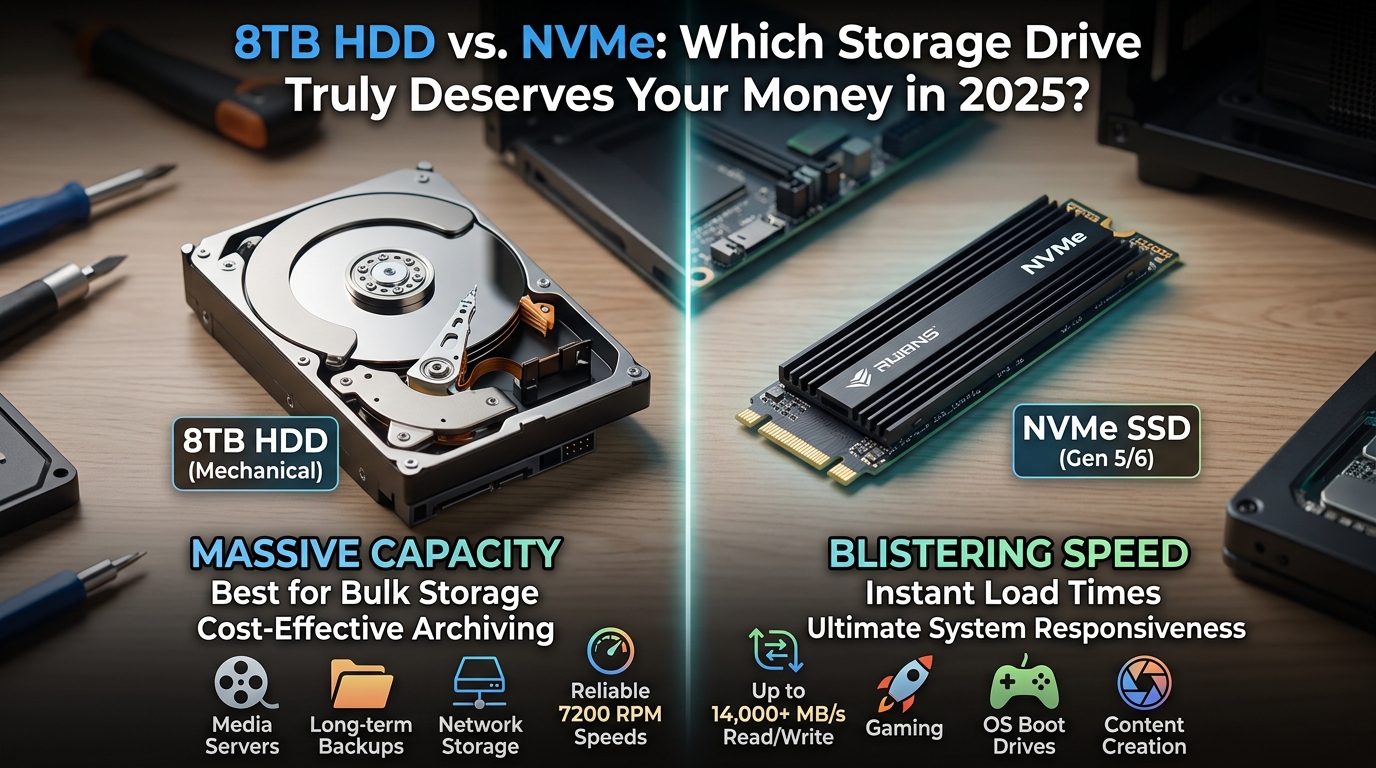
Introduction: Two Very Different Storage Worlds
The 8TB HDD vs. NVMe debate divides storage enthusiasts, professionals, and everyday users alike. Both technologies solve the storage problem but in fundamentally different ways. Hard disk drives offer massive capacity at remarkably affordable prices per gigabyte. NVMe drives, however, deliver blazing speeds that mechanical drives simply cannot match. Furthermore, each technology suits entirely different workloads and computing environments. Therefore, choosing between them requires understanding your actual needs honestly. This guide breaks down every meaningful difference so you can decide confidently.
Understanding the Technology Behind Each Drive
How an 8TB HDD Actually Works
A traditional hard disk drive stores data on spinning magnetic platters inside a sealed enclosure. A mechanical read/write arm moves across these platters to access stored information. Moreover, the drive motor spins these platters at either 5,400 or 7,200 RPM constantly. This mechanical process introduces physical limitations that directly affect performance and durability. Additionally, moving parts make HDDs vulnerable to damage from drops and vibrations. Consequently, the fundamental design of hard drives has remained largely unchanged for decades. Nevertheless, engineers have squeezed extraordinary capacity from this aging but reliable technology.
How NVMe Technology Delivers Exceptional Speed
NVMe stands for Non-Volatile Memory Express, a protocol designed specifically for flash storage. Unlike older SATA SSDs, NVMe drives connect directly through the PCIe interface on your motherboard. Furthermore, this direct connection eliminates the bottlenecks that slow down traditional storage interfaces significantly. NVMe drives store data in NAND flash memory cells with zero moving parts involved. Additionally, the NVMe protocol supports thousands of simultaneous command queues for parallel data processing. Consequently, these drives achieve read speeds that mechanical drives could never realistically approach. Therefore, the underlying technology explains the dramatic performance gap between these two options.
Speed Comparison: Where the Gap Becomes Obvious
Sequential Read and Write Performance
A typical 8TB HDD delivers sequential read speeds between 180 and 250 MB/s consistently. That performance feels adequate for basic file transfers and everyday document access. However, a mid-range NVMe drive achieves sequential reads exceeding 3,500 MB/s effortlessly. Moreover, premium NVMe drives using PCIe 5.0 push beyond 12,000 MB/s in real-world testing. Therefore, the speed difference between these two technologies is not marginal at all. Furthermore, this gap becomes immediately noticeable when loading large files or applications. Consequently, users switching from HDD to NVMe often describe the experience as transformative.
Random Read and Write Performance
Sequential speeds tell only part of the storage performance story worth examining. Random read and write performance matters far more for typical computing workloads daily. An 8TB HDD struggles with random 4K reads, often managing only 1-2 MB/s. Additionally, this weakness causes noticeable slowdowns when running multiple applications simultaneously. NVMe drives, however, handle random 4K operations at speeds exceeding 500 MB/s easily. Furthermore, this advantage makes NVMe drives dramatically better for operating systems and applications. Consequently, boot times, application launches, and multitasking all improve dramatically with NVMe storage.
Real-World Speed Differences You Will Actually Notice
Benchmark numbers matter less than what you experience during actual daily computer use. An 8TB HDD typically takes 45 to 90 seconds to fully boot a modern operating system. Conversely, an NVMe drive completes the same boot process in under 10 seconds consistently. Moreover, loading a large video editing project takes minutes on HDD versus seconds on NVMe. Additionally, game loading screens shrink from lengthy waits to nearly instantaneous experiences. Therefore, the speed advantage of NVMe translates directly into meaningful productivity and enjoyment gains. Furthermore, these differences compound over thousands of daily interactions throughout a working year.
Capacity Comparison: Where HDDs Fight Back
The Capacity Advantage of 8TB HDDs
Capacity represents the strongest argument in favor of choosing an 8TB hard disk drive. Eight terabytes provides enormous space for video archives, photo libraries, and backups. Moreover, 8TB HDDs have become widely available and competitively priced in the current market. Additionally, the cost per gigabyte of hard disk storage remains unmatched by any flash alternative. Consequently, content creators, archivists, and media collectors gravitate naturally toward large-capacity HDDs. Furthermore, multiple 8TB drives combine to create massive storage arrays at reasonable total costs. Therefore, raw capacity remains the killer feature that keeps mechanical drives commercially relevant today.
NVMe Capacity: Improving but Still Costly
NVMe drives have grown considerably in available capacity over the past several years. Consumers can now purchase 4TB and even 8TB NVMe drives from several reputable manufacturers. However, these high-capacity NVMe options carry price tags that shock most budget-conscious buyers immediately. Moreover, an 8TB NVMe drive can cost five to ten times more than an equivalent HDD. Additionally, availability of very high-capacity NVMe drives remains more limited than comparable HDDs. Therefore, most users who need massive storage still turn to hard drives for practicality. Consequently, NVMe dominates in speed-sensitive roles while HDDs dominate in capacity-focused applications.
Practical Storage Planning for Different Users
Most experienced PC builders use both storage types together in a complementary configuration. They install an NVMe drive for the operating system, applications, and active project files. Furthermore, they add one or more large HDDs for long-term storage, archives, and media collections. Additionally, this tiered storage approach delivers the best of both technologies simultaneously. Consequently, users enjoy NVMe speed for daily tasks without sacrificing affordable mass storage capacity. Therefore, the choice between 8TB HDD vs. NVMe need not be an either/or decision. Moreover, combining both technologies often represents the most sensible and cost-effective storage strategy.
Price Comparison: Counting the Cost Per Gigabyte
HDD Pricing Remains Extremely Competitive
Hard disk drives continue to offer the lowest cost per gigabyte in the storage market. A quality 8TB HDD typically sells for between $120 and $200 depending on brand and speed. Furthermore, this translates to roughly $0.02 per gigabyte, an almost impossibly cheap storage cost. Moreover, sales and promotions regularly push HDD prices even lower throughout the year. Additionally, refurbished enterprise HDDs offer even greater value for budget-conscious storage builders. Consequently, anyone prioritizing maximum capacity at minimum cost will consistently choose hard disk drives. Therefore, price sensitivity remains one of the most compelling reasons to choose mechanical storage.
NVMe Pricing Has Fallen But Remains Premium
NVMe drive prices have dropped significantly over the past three years across all capacities. A quality 1TB NVMe drive now sells for as little as $60 to $90 at retail. However, cost per gigabyte still runs roughly five to eight times higher than comparable HDD pricing. Moreover, moving to 2TB or 4TB NVMe options increases the price premium substantially. Furthermore, enterprise-grade NVMe drives with enhanced endurance ratings cost considerably more than consumer alternatives. Consequently, budget remains the primary barrier preventing widespread NVMe adoption for large-capacity storage. Therefore, price-sensitive buyers must carefully weigh their performance needs against available storage budget.
Value Assessment Depends Entirely on Your Use Case
Neither drive type offers universal value across every possible computing scenario and application. An NVMe drive delivers outstanding value for anyone running demanding applications or creative workflows. Furthermore, the productivity gains often justify the higher purchase price within a short period. However, someone storing video archives or backup data gains almost nothing from NVMe speed. Additionally, that person wastes significant money on performance they will never meaningfully use. Consequently, honest self-assessment of your actual workload determines which drive represents true value. Therefore, matching the technology to the task defines smart storage purchasing decisions always.
Durability and Reliability: Which Drive Lasts Longer
The Mechanical Vulnerability of Hard Disk Drives
Hard disk drives carry an inherent reliability risk stemming directly from their mechanical construction. Moving parts wear out over time and eventually fail through normal operational stress. Moreover, physical shocks from drops or bumps can immediately damage spinning platters and read heads. Additionally, hard drives perform poorly in mobile environments where vibration and movement occur regularly. Consequently, HDDs suit stationary desktop computers and NAS enclosures far better than portable applications. Furthermore, most manufacturers rate consumer HDDs for workloads significantly lower than enterprise alternatives. Therefore, anyone storing irreplaceable data on HDDs must maintain current backups without exception always.
NVMe Durability and Flash Endurance Considerations
NVMe drives eliminate mechanical failure risks entirely through their solid-state construction and design. No moving parts means vibration, drops, and physical shock cause far less damage overall. Moreover, NVMe drives handle mobile computing environments, including laptops and portable workstations, remarkably well. Additionally, manufacturers rate NVMe endurance using TBW, meaning total terabytes written over the drive’s lifespan. Furthermore, most consumer NVMe drives offer TBW ratings between 300 and 600 TBW for warranty purposes. Consequently, heavy write workloads like video editing or database operations can reduce drive lifespan. Therefore, users with extreme write demands should select NVMe drives with higher endurance ratings.
Mean Time Between Failures and Warranty Coverage
Both HDD and NVMe manufacturers publish MTBF ratings to indicate expected reliability over time. Most consumer HDDs carry MTBF ratings between 1 and 1.5 million hours of operation. Moreover, enterprise-grade HDDs often reach 2 million hours MTBF with enhanced build quality. NVMe drives typically offer comparable or superior MTBF ratings in manufacturer specifications. Additionally, warranty periods for both technologies commonly range between three and five years. Furthermore, enterprise versions of both drive types often include longer warranty and support commitments. Therefore, neither technology holds a decisive reliability advantage at the enterprise reliability tier level.
Use Case Analysis: Matching the Drive to the Job
Best Use Cases for 8TB HDD Storage
Hard disk drives excel in specific scenarios where capacity and cost outweigh performance requirements. Network-attached storage systems benefit enormously from large-capacity, affordable mechanical drives consistently. Moreover, video surveillance systems recording continuously around the clock need cheap, high-capacity storage immediately. Additionally, cold storage and archival applications require enormous space but rarely demand fast access. Furthermore, personal cloud servers storing family photos, documents, and media libraries suit HDDs perfectly. Consequently, backup destinations benefit from HDD’s low cost rather than NVMe’s impressive speed. Therefore, any workload prioritizing capacity and economy over access speed should consider mechanical drives seriously.
Best Use Cases for NVMe Drives
NVMe drives transform computing experiences in workloads where speed creates real competitive advantages. Operating system drives benefit more from NVMe performance than almost any other use case. Moreover, video editors working with 4K or 8K footage need fast storage to maintain smooth playback. Additionally, 3D designers, architects, and animators working with large project files gain significant productivity improvements. Furthermore, gamers experience dramatically shorter loading screens and smoother open-world streaming with NVMe storage. Database administrators also benefit from NVMe’s exceptional random read performance in query-heavy environments. Consequently, any professional whose time carries financial value should seriously consider NVMe for primary storage.
Creative Professionals and Content Creators
Content creators occupy an interesting position in the 8TB HDD vs. NVMe comparison discussion. They typically need both speed for active projects and vast capacity for completed work archives. Moreover, professional video production generates hundreds of gigabytes of footage during a single shooting day. Additionally, working directly from an HDD during editing creates frustrating performance bottlenecks in the timeline. Therefore, most professional creators edit from NVMe drives while archiving finished projects to HDDs. Furthermore, this workflow maximizes efficiency without generating unnecessary hardware expenditure on fast archival storage. Consequently, creative professionals represent the most natural audience for a combined dual-drive storage strategy.
Gaming Storage: Does NVMe Make a Real Difference
Load Times and Game Performance Improvements
Gaming represents one of the most discussed use cases in any HDD vs. NVMe comparison. NVMe drives dramatically reduce game loading times compared to mechanical hard disk drives. Moreover, open-world games like those using DirectStorage technology benefit enormously from NVMe bandwidth. Additionally, games installed on NVMe drives often experience fewer texture streaming issues during gameplay. Furthermore, Microsoft’s DirectStorage API specifically optimizes game asset loading for NVMe-equipped gaming PCs. Consequently, serious PC gamers gain tangible benefits from choosing NVMe for game installation drives. Therefore, NVMe has become the de facto standard recommendation for primary gaming storage today.
Using 8TB HDD for Game Storage and Libraries
However, modern game libraries have grown so large that NVMe costs become genuinely prohibitive. A single AAA game can consume over 150 gigabytes of storage space at installation. Moreover, serious gamers often maintain libraries of 50 or more installed titles simultaneously. Additionally, an 8TB HDD provides enough space to store dozens of games at extremely low cost. Furthermore, games stored on HDD can transfer to NVMe temporarily when players want to actively play. Consequently, many gamers use NVMe as an active game drive and HDD as a storage library. Therefore, large-capacity HDDs remain genuinely useful even in modern gaming-focused PC builds today.
Power Consumption and Noise: Quality of Life Factors
HDD Power Draw and Acoustic Noise
Hard disk drives consume more power than NVMe drives during active operation and idle states. A typical 8TB desktop HDD draws between 6 and 9 watts during active read/write operations. Moreover, the spinning platters and moving arm generate audible noise during intensive drive operations. Additionally, HDDs produce noticeable vibration that can resonate through PC cases and desk surfaces. Furthermore, this vibration and noise becomes genuinely distracting in quiet office or home environments. Consequently, users working in noise-sensitive environments often prefer NVMe for its completely silent operation. Therefore, acoustic and vibration considerations matter more than many buyers initially realize or anticipate.
NVMe Efficiency and Silent Operation Benefits
NVMe drives consume dramatically less power than mechanical alternatives across all operational states. A typical NVMe drive draws between 2 and 6 watts under heavy load during transfers. Moreover, NVMe drives drop to milliwatt-level power consumption during idle and low-power states. Additionally, reduced power consumption translates directly into better battery life in laptop computers. Furthermore, NVMe drives generate zero acoustic noise since they contain no moving mechanical parts whatsoever. Consequently, systems built around NVMe storage run quieter and cooler than HDD-based alternatives. Therefore, power efficiency and silence represent genuine lifestyle benefits beyond the raw performance advantages.
Temperature and Thermal Management Considerations
HDD Thermal Behavior During Extended Operation
Hard disk drives generate heat through motor operation and electromagnetic activity during use. Prolonged heavy use causes HDDs to reach temperatures between 35 and 50 degrees Celsius regularly. Moreover, elevated temperatures accelerate wear on mechanical components and reduce long-term reliability over time. Additionally, adequate airflow inside the PC case helps maintain safe operating temperatures consistently. Furthermore, densely packed NAS enclosures require careful thermal planning when using multiple high-capacity drives. Consequently, drive temperature monitoring software helps identify thermal issues before they cause data loss. Therefore, thermal management deserves serious attention in any system relying heavily on mechanical storage.
NVMe Thermal Throttling Under Sustained Loads
NVMe drives generate less heat than HDDs during light use but can run surprisingly hot. During sustained transfers, high-performance NVMe drives regularly reach temperatures above 70 degrees Celsius. Moreover, thermal throttling activates when drives exceed safe temperature thresholds during extended operations. Additionally, this throttling reduces performance temporarily to protect the drive from heat-related damage. Furthermore, many motherboards include aluminum heatspreaders that effectively manage NVMe drive temperatures. Consequently, users running sustained heavy workloads should ensure adequate NVMe cooling in their system. Therefore, thermal management matters for NVMe drives in demanding professional and enthusiast computing environments.
Future-Proofing: Which Technology Has the Better Roadmap
The Evolving Future of Hard Disk Drive Technology
Hard disk drives continue to evolve through technologies like HAMR and MAMR recording methods. Heat-Assisted Magnetic Recording promises to push HDD capacities toward 50TB and beyond eventually. Moreover, manufacturers actively ship HAMR drives in enterprise configurations with steadily improving reliability. Additionally, the cost advantages of mechanical storage ensure its commercial relevance for many years ahead. Furthermore, cloud data centers rely heavily on HDDs for cold storage of enormous data volumes. Consequently, the mechanical hard drive will not disappear anytime soon despite flash storage advances. Therefore, investing in quality 8TB HDDs today still represents a sound long-term storage decision.
The Accelerating Evolution of NVMe Technology
NVMe technology evolves far more rapidly than mechanical storage in almost every meaningful dimension. PCIe 5.0 NVMe drives already deliver sequential reads exceeding 12,000 MB/s in retail products. Moreover, PCIe 6.0 will eventually double these speeds further as the standard matures commercially. Additionally, 3D NAND stacking continues to increase flash density and reduce cost per gigabyte consistently. Furthermore, QLC NAND technology enables higher-capacity NVMe drives at more accessible price points currently. Consequently, the cost gap between NVMe and HDD will narrow meaningfully over the coming years. Therefore, NVMe’s trajectory points toward eventually displacing HDDs in most mainstream computing applications.
Making the Final Decision: Key Questions to Ask Yourself
Assessing Your Speed Requirements Honestly
Before purchasing any storage drive, honestly evaluate how much speed your daily workflow actually requires. Ask yourself whether slow application loading times genuinely frustrate or impede your productivity regularly. Moreover, consider whether you work with large files like video, databases, or design assets professionally. Additionally, think about whether your operating system feels sluggish and unresponsive during normal multitasking use. Furthermore, gamers should honestly consider how much loading screen time they currently tolerate daily. Consequently, anyone experiencing these frustrations will benefit meaningfully from switching to NVMe primary storage. Therefore, performance frustration represents the clearest signal that an NVMe investment makes practical sense.
Evaluating Your Capacity and Budget Constraints
Equally important is an honest evaluation of how much storage capacity your workflow genuinely demands. Consider your current storage usage and how rapidly your data collection grows each year. Moreover, video creators, photographers, and archivists consistently accumulate data faster than most users anticipate. Additionally, calculate the total cost of providing equivalent capacity using NVMe versus HDD alternatives. Furthermore, determine what percentage of your data actually benefits from high-speed storage access regularly. Consequently, most users discover that a small NVMe drive plus a large HDD costs less than pure NVMe. Therefore, budget-conscious buyers should calculate total storage costs across both technology options carefully.
Conclusion: No Single Winner Exists for Every Situation
The 8TB HDD vs. NVMe comparison reveals two complementary technologies rather than direct competitors. NVMe drives deliver unmatched speed that transforms daily computing into a genuinely fluid experience. Meanwhile, 8TB HDDs provide massive, affordable storage capacity that NVMe simply cannot match economically. Furthermore, most thoughtful buyers benefit from deploying both technologies in a carefully planned tiered system. Additionally, your specific workload, budget, and performance expectations should guide every storage purchasing decision. Consequently, neither drive type deserves universal recommendation without understanding the individual user’s actual requirements. Therefore, the smartest storage strategy combines NVMe speed where it matters with HDD capacity where it counts most.